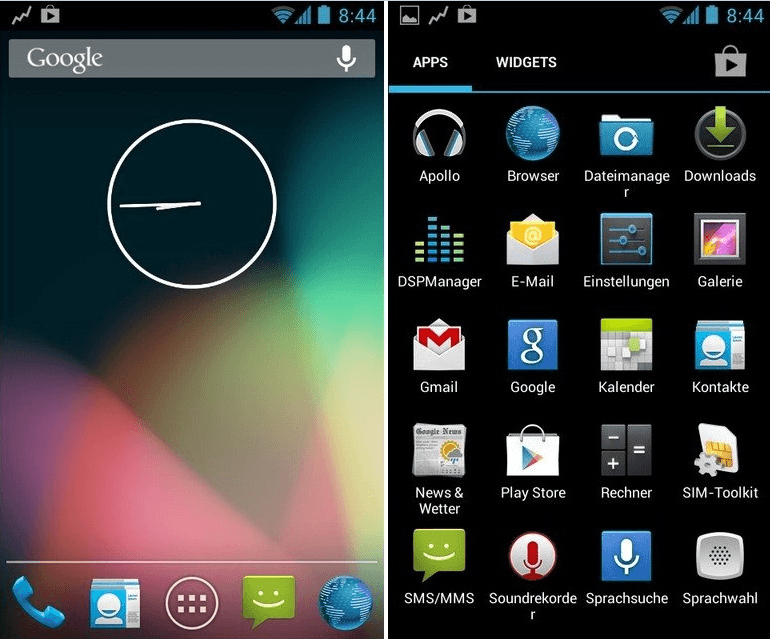
How to install Android 4.0.4 ICS AOKP ROM Galaxy Note? Yes, now you can follow this step by step tutorial. The Android Open Kang Project also knows as AOKP ROM. It is one of the popular Android after market firmware. Now it’s available for Galaxy Note GT-N7000 Phablet.
This AOSP (Android Open Source) ROM provides a real ICS experience on your phone. Just like the Google Nexus phone. Unfortunately it doesn’t have Google applications, so that you have to separately install Gapps zip file.
This ROM has more customization options than other after market ROM. User can customize notification drawer, enable soft keys, customize status bar icons and many more.
This post I’ll guide you to, how to install this Android 4.0.4 AOKP ROM on your Galaxy Note GT-N7000 easily. However, you need root access and install a custom recovery such as clockworkmod recovery on your phone.
Warning!
- Installing custom firmware, voids the Galaxy Note warranty.
- If your phone bricked or damaged by following this tutorial, I can’t take its responsibility.
- This tutorial only for the Galaxy Note GT-N7000.
Requirements.
- Root and install cwm on the Galaxy Note [guide in here].
- Backup your phone internal memory [ with root | without root ].
- Fully charge the phone.
- Backup EFS folder [ Guide in here ]
Downloads
Clockworkmod Non-Touch uses.
- Use volume keys for navigation
- Use power button for selection
How to install Samsung Galaxy Note ICS Android 4.0.4 AOKP custom ROM.
- Copy downloaded files to the phone SD card and shut down your galaxy note GT-N7000
- Boot with recovery mode by press and hold “Volume up, home and power buttons” together.
- When the clockwork mod recovery starts, make a full nandroid backup. Go to “Backup and restore>Backup”, now your phone internal memory and its partitions will be backup into your SD card. This
- Now go back to the main Galaxy Note custom recovery menu
- Navigate to the “Wipe data/factory reset>Yes – Wipe data”.
- Next go to “wipe cache partition>Yes – Wipe cache”.
- Then navigate to “Advanced>Wipe dalvik-cache>Yes – Wipe cache”.
- On the clockwork mod main menu go to “Install from SD card>Choose from SD card” now select the downloaded ROM on your SD card
- Select “Yes-install……”
- Wait for a few seconds to complete the AOKP ROM installation process.
- Now we need to flash ICS Gapps. Then again select “Choose from SD card” and next select downloaded Gapp zip file on your SD card (internal or external).
- Select “Yes-Install……….”
- Now wait until the Google apps installation process complete.
- After it completed go back and select “Reboot system now”
- Now your phone will be booted into the aokp ROM. Normally the first boot takes several minutes.